

Compatible With:
- Oxide
- Carbon
About Heli Signals
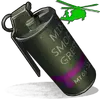
Heli Signals allows players with permission to call an Attack Helicopter to their location with a custom Supply Signal, where it will engage players and patrol, allowing players to fight it to win the valuable Heli crates.
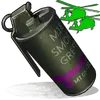
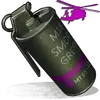
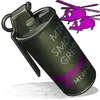
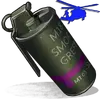
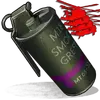
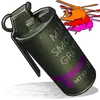
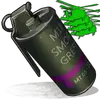
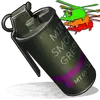
The plugin comes with 8 default heli profiles, Easy, Medium, Hard and Elite, with a duplicate profile of each set up for calling multiple helis at once for each tier. In addition there is also 2 Wave Heli profiles, which will call in a wave of different helis one after the other. Each default profile has it's own custom supply signal skin (below). Server owners can add as many profiles as they like in the config by copying and pasting an existing profile within the config and editing to suit. This may require the server owner to create their own custom skin for the inventory item.
If you are setting up Multi heli signals, set the global and player limit in the config accordingly to accommodate higher numbers of helicopters per player.
There is also an option to have a BotReSpawn profile spawn at the crash site, just set the BotReSpawn profile name in the config.
IMPORTANT:
Each heli profile or wave profile in the config MUST have its own unique name and skin ID, otherwise you will have issues.
NOTE ABOUT SHOPS:
The profile name in the config should match the Custom Supply Signal name which the shop gives the player. The Helicopter Name is separate and can be set independently from the Signal item. Also, when giving players items from shop plugins, if available, I always recommend adding the item to the shop using custom name, skinID etc, rather than the console command, but either will work.
NOTE ABOUT DEEP SEA:
There are config options to allow or disallow calling a Heli Signal while in the Deep Sea. There is also a config option to retire a players active Heli Signals if they teleport to Deep Sea.
If you allow players to teleport to Deep Sea with active helis and you have return to player set to true, the heli will eventually (after a good few minutes of flying) reach the players location in the Deep Sea.
Plugin default Supply Signal Skin ID's to add items to various shops, loot plugins, kits etc are:
Default Permissions:
Commands (Prefix with / to use in game):
COUPON CODE [20% OFF]: 20OFF
Please note correct usage for Supply Signal name and Helicopter display name. These values CAN be different if you wish:

Loot Options:
Use the loot item example entries in the default config to create custom loot tables for crates.
How to Add Loot Table Items (Example):
For Other Developers:
The following hook is available to use in your plugins to check custom Supply Signals or Patrol Helicopters to avoid conflict with your plugins:
object IsHeliSignalObject(ulong skinID)
This will return true if the item is a Bradley Drop item/entity, or null if not.
Call it directly without referencing the plugin:
Or reference my plugin and call like this:
To return some basic info about a Heli Signal object:
object GetHeliSignalData(Patrolhelicopter heli)
Returns object as Dictionary<string, object>.
Returned data is:
Example usage:
Heli Signals allows players with permission to call an Attack Helicopter to their location with a custom Supply Signal, where it will engage players and patrol, allowing players to fight it to win the valuable Heli crates.
The plugin comes with 8 default heli profiles, Easy, Medium, Hard and Elite, with a duplicate profile of each set up for calling multiple helis at once for each tier. In addition there is also 2 Wave Heli profiles, which will call in a wave of different helis one after the other. Each default profile has it's own custom supply signal skin (below). Server owners can add as many profiles as they like in the config by copying and pasting an existing profile within the config and editing to suit. This may require the server owner to create their own custom skin for the inventory item.
If you are setting up Multi heli signals, set the global and player limit in the config accordingly to accommodate higher numbers of helicopters per player.
There is also an option to have a BotReSpawn profile spawn at the crash site, just set the BotReSpawn profile name in the config.
IMPORTANT:
Each heli profile or wave profile in the config MUST have its own unique name and skin ID, otherwise you will have issues.
NOTE ABOUT SHOPS:
The profile name in the config should match the Custom Supply Signal name which the shop gives the player. The Helicopter Name is separate and can be set independently from the Signal item. Also, when giving players items from shop plugins, if available, I always recommend adding the item to the shop using custom name, skinID etc, rather than the console command, but either will work.
NOTE ABOUT DEEP SEA:
There are config options to allow or disallow calling a Heli Signal while in the Deep Sea. There is also a config option to retire a players active Heli Signals if they teleport to Deep Sea.
If you allow players to teleport to Deep Sea with active helis and you have return to player set to true, the heli will eventually (after a good few minutes of flying) reach the players location in the Deep Sea.
Plugin default Supply Signal Skin ID's to add items to various shops, loot plugins, kits etc are:
Single Heli Signals | Multi Heli Signals |
|---|---|
 Heli Signal (Easy) : 2920175997 |  Multi Heli (Easy) : 3083234542 |
 Heli Signal (Medium) : 2920176079 |  Multi Heli (Medium) : 3083234833 |
 Heli Signal (Hard) : 2920176050 |  Multi Heli (Hard) : 3083234755 |
 Heli Signal (Elite) : 2920176024 |  Multi Heli (Elite) : 3083234647 |
 Heli Signal (Expert) : 3099117081 |  Multi Heli (Expert) : 3099124338 |
 Heli Signal (Nightmare) : 3099117372 |  Multi Heli (Nightmare) : 3099124426 |
Wave Heli Signals |
|---|
 Generic Heli Wave Signal : 3099117224 |
 Heli Wave Signal (Normal): 3104667036 |  Heli Wave Signal (Hard): 3104666951 |
Default Permissions:
- helisignals.admin (to use give | hsclearcd command)
- helisignals.buy (to use /hsbuy command)
- helisignals.bypasscooldown
- helisignals.easy
- helisignals.medium
- helisignals.hard
- helisignals.elite
- helisignals.easy_multi
- helisignals.medium_multi
- helisignals.hard_multi
- helisignals.elite_multi
- helisignals.wave_normal
- helisignals.wave_hard
Commands (Prefix with / to use in game):
- hsgive <Profile ShortName> <Steam64ID> <Amount>
- hsbuy list
- hsbuy <Profile Shortname>
- hsreport (Get details of all active helis)
- hsretire (Retire all a player or their teams called Helis, no refunds)
- hsclearcd (clear all cooldowns)
- hsclearcd <SteamID|Name> (clear cooldown for player)
COUPON CODE [20% OFF]: 20OFF
Please note correct usage for Supply Signal name and Helicopter display name. These values CAN be different if you wish:

Loot Options:
Use the loot item example entries in the default config to create custom loot tables for crates.
How to Add Loot Table Items (Example):
JSON:
{
    "ShortName": "scrap",
    "Chance (0 - 100)": 50.0,
    "Min amount": 50,
    "Max Amount": 100,
    "SkinID": 0,
    "Custom Display Name (leave blank unless creating custom items)": "",
      "Blueprint Chance Instead of Item, 0 = disabled. (0 - 100)": 0.0
},
{
    "ShortName": "blood",
    "Chance (0 - 100)": 50.0,
    "Min amount": 50,
    "Max Amount": 100,
    "SkinID": 2834920066,
    "Custom Display Name (leave blank unless creating custom items)": "Epic Scrap",
      "Blueprint Chance Instead of Item, 0 = disabled. (0 - 100)": 0.0
}
For Other Developers:
The following hook is available to use in your plugins to check custom Supply Signals or Patrol Helicopters to avoid conflict with your plugins:
object IsHeliSignalObject(ulong skinID)
This will return true if the item is a Bradley Drop item/entity, or null if not.
Call it directly without referencing the plugin:
C#:
if (Interface.CallHook("IsHeliSignalObject", skinID) != null)
    return true; // IsHeliSignalObject
Or reference my plugin and call like this:
C#:
[PluginReference]
Plugin HeliSignals;

if (HeliSignals.CallHook("IsHeliSignalObject", skinID) != null)
    return true; // IsHeliSignalObject
To return some basic info about a Heli Signal object:
object GetHeliSignalData(Patrolhelicopter heli)
Returns object as Dictionary<string, object>.
Returned data is:
C#:
["heliProfile"]         // string - Actual heli profile (from config)
["heliName"]         // string - Heli display name
["skinId"]               // ulong
["heliId"]                // ulong (Net.ID.Value)
["owner"]              // BasePlayer
["lastAttacker"]     // BasePlayer
["calledPosition"]  // Vector3
["callingTeam"]     // List
Example usage:
C#:
var hdata = HeliSignals.Call("GetHeliSignalData", heli) as Dictionary<string, object>;

string _heliProfile = hdata["heliProfile"];
string _heliName = hdata["heliName"];
string _heliSkin = hdata["skinId"];
string _owner = hdata["owner"];

etc


