

Compatible With:
- Oxide
- Carbon
About Bradley Drops.
New completely custom Bradley AI for a much more immersive and real experience! Each battle is different and fun! No more cheesing the event or hiding from Bradley!
PLEASE CHECK OUT THE CONFIG OPTIONS!
Bradley Drops allows players with permission to call a Bradley APC to their location with a custom Supply Signal, where it will patrol a set distance for a set time, allowing players to fight it to win the valuable Bradley crates.
A cargo plane will deliver and drop the APC via parachutes. The APC can be configured in different ways and there are many config options to suit all servers.
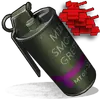
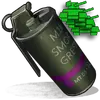
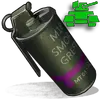
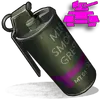
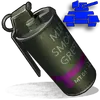
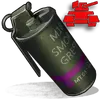
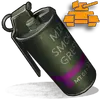
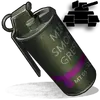
The plugin comes with 4 default settings for Bradley Drops, Easy, Medium, Hard and Elite, each with their own custom supply signal skin. But server owners can add as many options as they like in the config by copying and pasting an existing profile within the config. This would however require the server owner to create their own custom skin for the inventory item. (I will add more custom skins in the near future for this.)
COUPON CODE [75% OFF]: GETITWHILEITSHOT75
BotReSpawn compatibility, with the option to specify a BRS spawn profile at the Bradley kill site.
NOTE ABOUT SHOPS:
The profile name in the config should match the Custom Supply Signal name which the shop gives the player. The Bradley Name is now separate and can be set independently.
Plugin default Supply Signal Skin ID's to add items to various shops, loot plugins, kits etc are:
Default Permissions:
Commands (Prefix with / to use in game):
Please note correct use in config file for supply signal name and Bradley APC display name. These values CAN be different if you wish:

For Other Developers:
The following hook is available to use in your plugins to check custom Supply Signals, Cargo Planes and Supply Drops to avoid conflict with your plugins:
object IsBradleyDrop(ulong skinID)
This will return true if the item is a Bradley Drop item/entity, or null if not.
Call it directly without referencing the plugin:
Or reference my plugin and call like this:
To return some basic info about a Bradley Drop object:
object GetBradleyDropData(BradleyAPC bradley)
Returns object as Dictionary<string, object>.
Returned data is:
Example usage:
New completely custom Bradley AI for a much more immersive and real experience! Each battle is different and fun! No more cheesing the event or hiding from Bradley!
PLEASE CHECK OUT THE CONFIG OPTIONS!
- Bradley can now dynamically path find, re-path when stuck and actively hunt players who try and hide or retreat.
- New Fireball config options for damage, lifetime, chance to spread, etc
- Many new CH47 options, such as health, homing missile actions, can now use flares to counter homing missiles! Can now also specify Hackable crates to drop when destroyed.
- CH47 Scientist gunner options, such as health, damage, aimcone, kits, etc.
- Bradley can now counter high risk targets with smoke grenades, making it harder for them to target, with cooldown options in config. (players with rocket launchers, timed explosives, satchels etc)
- Bradley can now damage more obstacles by ramming, which is fully configurable in the config file
- Crate loot capacity is now resizable and can take up to 48 items for both Bradley and Hackable crates.
Bradley Drops allows players with permission to call a Bradley APC to their location with a custom Supply Signal, where it will patrol a set distance for a set time, allowing players to fight it to win the valuable Bradley crates.
A cargo plane will deliver and drop the APC via parachutes. The APC can be configured in different ways and there are many config options to suit all servers.
The plugin comes with 4 default settings for Bradley Drops, Easy, Medium, Hard and Elite, each with their own custom supply signal skin. But server owners can add as many options as they like in the config by copying and pasting an existing profile within the config. This would however require the server owner to create their own custom skin for the inventory item. (I will add more custom skins in the near future for this.)
COUPON CODE [75% OFF]: GETITWHILEITSHOT75
BotReSpawn compatibility, with the option to specify a BRS spawn profile at the Bradley kill site.
NOTE ABOUT SHOPS:
The profile name in the config should match the Custom Supply Signal name which the shop gives the player. The Bradley Name is now separate and can be set independently.
Plugin default Supply Signal Skin ID's to add items to various shops, loot plugins, kits etc are:
Bradley Drops |
|---|
 Bradley Drop (Easy) : 2905355269 |  Bradley Drop (Elite) : 2911864795 |
 Bradley Drop (Medium) : 2905355312 |  Bradley Drop (Expert) : 3361673979 |
 Bradley Drop (Hard) : 2905355296 |  Bradley Drop (Nightmare) : 3361674045 |
Wave Bradley Drops |
|---|
 Bradley Drop Wave (Normal): 3502926194 |  Bradley Drop Wave (Normal): 3502926194 |
Default Permissions:
- bradleydrops.admin (to use give command)
- bradleydrops.buy (to use /bdbuy command)
- bradleydrops.bypasscooldown
- bradleydrops.easy
- bradleydrops.medium
- bradleydrops.hard
- bradleydrops.elite
Commands (Prefix with / to use in game):
- bdgive <Profile ShortName> <Steam64ID> <Amount>
- bdbuy <Profile Shortname>
- bdbuy list
- bddespawn (Despawns all Bradleys called by a player or their team, no refunds)
- bdclearcd (clear all cooldowns)
- bdclearcd <SteamID|Name> (clear cooldown for player)
Please note correct use in config file for supply signal name and Bradley APC display name. These values CAN be different if you wish:

For Other Developers:
The following hook is available to use in your plugins to check custom Supply Signals, Cargo Planes and Supply Drops to avoid conflict with your plugins:
object IsBradleyDrop(ulong skinID)
This will return true if the item is a Bradley Drop item/entity, or null if not.
Call it directly without referencing the plugin:
C#:
if (Interface.CallHook("IsBradleyDrop", skinID) != null)
    return true; // IsBradleyDrop
Or reference my plugin and call like this:
C#:
[PluginReference]
Plugin BradleyDrops;

if (BradleyDrops.CallHook("IsBradleyDrop", skinID) != null)
    return true; // IsBradleyDrop
To return some basic info about a Bradley Drop object:
object GetBradleyDropData(BradleyAPC bradley)
Returns object as Dictionary<string, object>.
Returned data is:
C#:
["apcProfile"] // string - Actual bradley profile (from config)
["apcName"]         // string - Bradley display name
["skinId"]          // ulong
["bradleyId"]       // ulong (Net.ID.Value)
["owner"]           // BasePlayer
["lastAttacker"]    // BasePlayer
["calledPosition"]  // Vector3
["callingTeam"]     // List
["ch47"]            // CH47Helicopter
["plane"]           // CargoPlane
["balloon"]         // HotAirBalloon
["currentState"] // enum BradleyState (PATROL, ENGAGE, HUNT, MOVETOENGAGE)
Example usage:
C#:
var bdata = BradleyDrops.Call("GetBradleyDropData", bradley) as Dictionary<string, object>;

string _apcProfile = bdata["apcProfile"];
string _apcName = bdata["apcName"];
string _apcSkin = bdata["skinId"];
string _owner = bdata["owner"];

etc


![Cr[0]miX](/data/avatars/s/0/56.jpg?1770681446)
